Shopify Landing Page: Plan for the Right Audience and Conversion
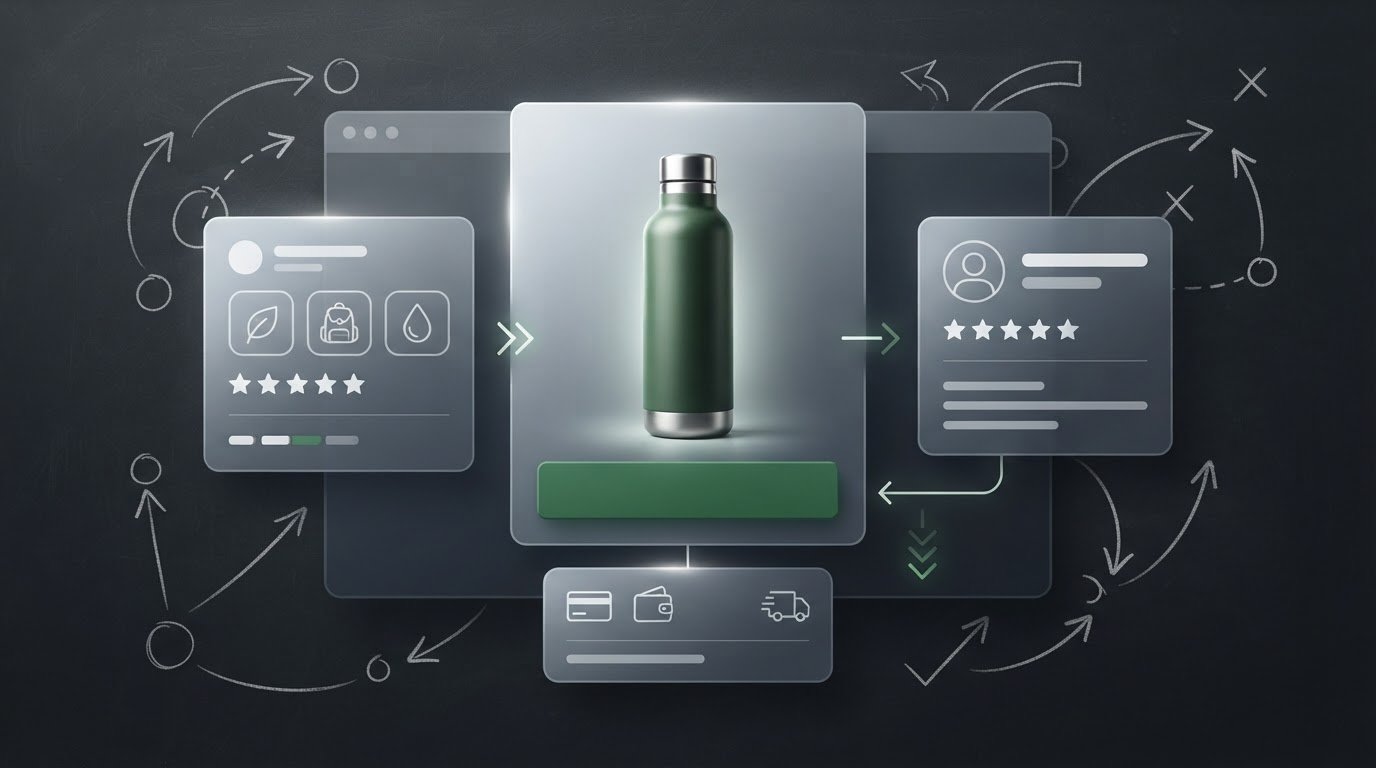
A landing page that tries to sell to everyone often gives no one a clear reason to act. On Shopify, an ecommerce landing page is a focused destination built around a specific audience, traffic source, and conversion goal. Building a high-converting Shopify landing page means aligning the message, proof, call to action, and navigation so visitors know what to do next.
More traffic alone won’t fix a page that misses the mark. Match each page to visitor intent, then make the next step easy to see and trust. This guide explains how landing pages work, how to shape their key elements, and how to choose a conversion goal that fits the campaign, from a purchase to an email signup. You’ll get a practical framework for planning a page around the people arriving on it, not just the product you want to sell.
Key Takeaways
- Use a landing page to guide a specific audience toward one clear next step, rather than treating it like a general storefront.
- Build trust with relevant customer reviews and user-generated content that helps visitors assess the offer.
- Keep headlines, benefits, proof, calls to action, and navigation aligned with the promise that brought visitors to the page.
- Choose the conversion goal first, then assess performance against that goal; eComQB’s Revenue Generating AI Tools can support brands refining their growth strategy.
1. What is an ecommerce landing page?
An ecommerce landing page is a focused destination designed to turn a specific visitor action into a measurable outcome. Unlike a general storefront, it centers on one offer, audience, and next step, such as buying a product or joining an email list. For example, an ad campaign for a hydration bottle can send visitors to a page about that bottle instead of a broad catalog.
Social proof helps visitors evaluate an offer through other customers’ experiences. Add genuine reviews, customer photos, or user-generated content near the product details they support. A testimonial with a customer’s name and relevant context is more useful than a vague claim. Keep reviews authentic, relevant, and easy to scan, and never present invented endorsements as customer feedback.
Testing turns page decisions into measurable comparisons. Create two versions and show them to different user groups at the same time. Change one major element, such as the headline, offer, layout, or testimonial placement, so the result points to a clear cause. Track the metric tied to the page goal, such as purchases, completed signups, or revenue per visitor. Let the page collect data before choosing a winner; Shopify advises waiting at least two weeks.
No single Shopify theme or page-builder app is best for every landing page. Choose a theme or app that supports the required layout, mobile experience, and testing workflow. Costs vary by tool and plan. Shopify-native pages keep the experience within the store, while dedicated landing-page platforms may offer specialized design and testing workflows, with integration needs to consider.
For United States pages, treat privacy, accessibility, and advertising claims as separate compliance priorities: explain data practices, make content usable, and substantiate product claims. Applicable obligations depend on the business, audience, and claim, so include these considerations in page reviews rather than treating them as conversion elements.
2. Headlines, benefits, trust signals, calls to action, and navigation
Building a high-converting Shopify landing page starts with a headline that makes the offer and outcome clear. “Healthy smoothies anytime, without the kitchen mess” sells a result, while “USB-rechargeable portable blender” leads with a feature. Follow with specific benefits that show why the product matters, such as easier preparation or simpler storage. Keep the message consistent with the ad that brought visitors to your Shopify store.
Make the main call to action direct: “Choose your color” or “Add to cart” tells shoppers what happens next. Use one primary action and repeat it in logical places, such as beside the product details and after customer reviews. If the offer includes a discount, state its terms clearly near the CTA instead of making shoppers search for them.
Trust signals should answer real buying concerns. According to Route’s 2026 study, 93% of customers review a retailer’s return policy before buying online, and 82% say easy returns influence their decision. Place a clear return-policy summary near the purchase action. Add genuine product reviews, recognizable payment options, and trust badges only when they accurately represent the store.
Choose visuals that help shoppers evaluate the product. Show clear product images from useful angles, then use video to demonstrate how the item works. Place reviews near the claims they support, and avoid decorative images that compete with the action. On mobile, check that images load cleanly and the CTA remains easy to find.
Keep navigation focused. A landing page for one product rarely needs the full menu of a general storefront. Remove links that pull visitors away from the offer, while retaining useful routes such as customer support or policy details. Test headline wording, hero visuals, CTA copy, and proof placement as separate elements. Building a high-converting Shopify landing page means refining these choices against the page’s primary goal.
If you’re shaping these elements into a focused Shopify experience, talk through your landing-page strategy.
3. Planning for the target audience and traffic source
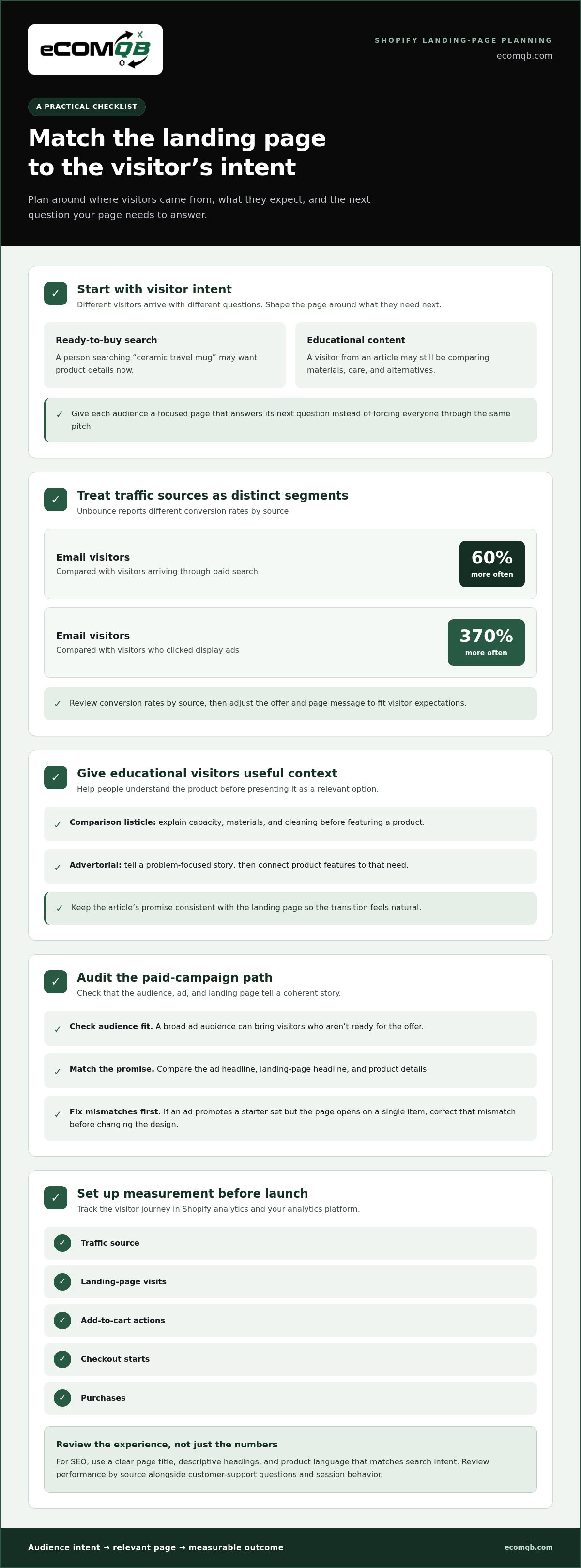
Start with visitor intent, not the ad format. Someone clicking a Google search ad for “ceramic travel mug” may want product details now. A visitor arriving from an educational article may still be comparing materials, care, and alternatives. Give each audience a focused page that answers its next question instead of forcing everyone through the same pitch.
Traffic sources bring different levels of purchase intent. According to Unbounce, visitors arriving by email convert 60% more often than visitors arriving through paid search, and 370% more often than visitors who clicked display ads. Treat those channels as distinct segments. Review conversion rates by source, then adjust the offer and page message to fit the visitor’s expectations.
Educational traffic needs context before a hard sell. A listicle comparing reusable mugs can explain capacity, materials, and cleaning before presenting a product as one relevant option. An advertorial can tell a problem-focused story, then connect the product’s features to that need. Keep the article’s promise consistent with the landing page so the transition feels natural.
For paid campaigns, audit the full path from targeting to page experience. A broad ad audience can bring visitors who aren’t ready for the offer, while a specific promise can attract more relevant traffic. Compare the ad headline, landing-page headline, and product details. If the ad promotes a starter set but the page opens on a single item, correct that mismatch before changing the design.
Set up measurement before launch. In Shopify analytics and your analytics platform, track the source, landing-page visits, add-to-cart actions, checkout starts, and purchases. For SEO, use a clear page title, descriptive headings, and product language that matches search intent. Review performance by source alongside customer-support questions and session behavior. Repeated confusion about sizing, for example, signals a UX issue to address. Then test one change and measure its effect on the intended action.
4. Landing page goals and conversion types
Choose the conversion goal before designing the page. A product launch may prioritize purchases, while a coming-soon campaign may collect email signups. Those goals require different offers, page structures, and success measures. A purchase page should make product selection and checkout clear. A signup page should explain what subscribers receive and keep the form focused.
Define the action that counts as a conversion, then track its rate against relevant visits. For a direct-sales campaign, count completed purchases, not clicks on “Add to cart.” For a lead-generation page, count completed signups, not form starts. This keeps the conversion rate tied to business value instead of a convenient but incomplete metric.
A conversion rate of 10% or above is considered good, although the benchmark varies by industry and page goal. Use that figure as context, not a universal pass mark. A page collecting email addresses has a different job from one selling a high-consideration product. Compare performance with the same goal, audience, and traffic source.
Match the page type to the campaign stage. A first-touch campaign can offer a product guide or an educational quiz, while a returning-customer campaign can lead directly to a replenishment purchase. For a new product launch, a waitlist page can collect interest before inventory is ready. Each action should move the visitor toward the next meaningful step.
Set a baseline at launch, then review the goal metric alongside supporting actions. If a purchase page gets product views but few checkout starts, inspect product details, shipping clarity, and checkout entry points. If a signup page attracts visits but few completed forms, reduce friction and clarify the value of joining. Change one element at a time, then compare results with the original objective.
Align campaign goals, page type, and measurement into one growth plan. Map your landing-page goals and conversion strategy before the next campaign goes live.
EComQB: Revenue Generating AI Tools
eComQB is a natural next step when your landing-page strategy needs coordinated growth execution. Its Revenue Generating AI Tools and AI transformation for eCommerce Brands support teams integrating AI into their ecommerce operations. For campaigns that need stronger paid-media alignment, Agentic Media Buying and Meta Advertising Execution connect media execution with the audience and conversion goal behind each page.
Turn to these capabilities when you’re ready to connect landing-page priorities with broader marketing execution, rather than treating the page as a standalone asset. Bring a clear campaign goal, audience, and current bottleneck to the conversation to give it a focused starting point. Contact eComQB to discuss your growth priorities, or visit ecomqb.com.
Make your next page a focused growth experiment
Choose an upcoming campaign and give its landing page a clear role in the customer journey. Decide what visitors should do, what information will help them act, and which result will guide your next decision. That focus turns page design from a collection of preferences into a practical growth experiment.
Treat building a high-converting Shopify landing page as an ongoing process, not a one-time build. Start with a specific audience and campaign, measure the page against its intended outcome, then use what you learn to plan the next test. A deliberate cycle of planning, measurement, and refinement helps your team make better decisions with each iteration.
If you’re ready to put that approach into action, discuss your landing-page priorities with eComQB. Bring the campaign you’re planning and the outcome you want to improve. Your next page can be a sharper, more purposeful move forward.
Frequently Asked Questions
What is an ecommerce landing page?
An ecommerce landing page is a standalone page designed around a specific offer and visitor action. It can support a product launch, seasonal promotion, or email-capture campaign. For example, a page for a new skincare product might explain who it suits, show how to use it, and guide shoppers to purchase. Its role is to move visitors toward the campaign’s next step.
What Methods Can You Use?
You can build a landing page with your Shopify theme, use a page-building app, or develop a custom page. Choose based on how much control the campaign needs and how easily your team can maintain the result. A theme-based page may suit a straightforward offer; a custom build may work when the design or interactions need to fit a more specific customer journey.
What are the essential elements of a high-converting Shopify landing page?
Prioritize a clear offer, useful product information, credible proof, and a purchase path that works on mobile. Then check for practical gaps that can stall a decision: unclear sizing, missing care instructions, or product options that are hard to compare. For clothing, a size guide beside the selection controls can resolve uncertainty when shoppers need it.
How should you structure Shopify landing page copy, headlines, and calls to action?
Structure copy around the shopper’s decision: identify the product and its main use, explain relevant benefits, answer likely objections, then make the next action clear. For a reusable bottle, a headline might focus on carrying drinks during a commute; supporting copy can explain capacity and cleaning. Keep button wording specific to the step, such as “Choose a size,” rather than using a generic “Continue.”
How do you optimize Shopify landing pages for mobile speed and Core Web Vitals?
Test the page on an actual mobile connection and remove elements that delay its main content. Resize and compress image files, avoid unnecessary app scripts, and reserve space for images to prevent layout shifts. Keep the primary product image and purchase controls easy to reach. Recheck the page after changing apps or theme code, since either can affect loading and interaction.
What are the best A/B testing tools and practices for Shopify landing pages?
Choose a testing tool that can split visitors between page versions and connect outcomes to your store’s conversion data. Before a test, choose one change and one primary measure, such as completed purchases. Keep other campaign settings stable, label the test clearly, and avoid running overlapping changes on the same page. This makes the result easier to interpret and apply.